Last updated: October 12, 2026
Key Takeaways
- Match the setup to CMS input, AI structure, and approval needs.
- Use API, automation, or plugins based on draft, schedule, or full workflow needs.
- For headless CMSs, start with structured content and leave rendering to the front end.
- Keep human review for claims, compliance, and brand-risk content.
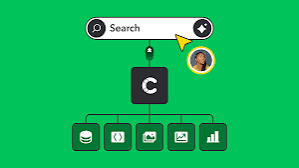
Want AI writing tools connected to your CMS for publishing automation? The cleanest path is usually API-based draft creation, a human approval step, and automation only for the lowest-risk tasks at first. Teams working in WordPress, Contentful, Webflow, Drupal, or headless setups can use that approach without turning day one into a production mess. In practice, most groups start with one content type and one approval step. This leaves the first workflow with 3 moving parts instead of 10.
Quick Answer: the safest practical setup is 3 steps — generate a structured draft, save it to the CMS, and require human approval before publishing.
The real question is not “Can I connect them?” It is “How much of the workflow should I automate without creating brand, legal, or quality problems?” I’d frame this as workflow design, not chatbot tinkering. With a stable REST API or GraphQL API in your CMS, and structured output from the AI tool, you have enough to build something useful without buying an enterprise orchestration platform. Should the decision touch regulated content, review the setup with your legal, brand, or technical lead and consult a qualified professional when needed; see the official documentation for your CMS and automation tool before changing publishing rules.
What actually determines the right setup
Three things decide the fit: how your CMS accepts content, how predictable your AI output is, and who has to approve a post before it goes live. WordPress is a good example—the REST API makes draft creation straightforward. Contentful, Sanity, and Strapi lean the other way; structured content models usually suit automation better than a page-builder style CMS. And when the AI tool only spits out freeform prose, you are making the model do the CMS’s job. WordPress has used the REST API since 2016, which is why API-first publishing feels normal now rather than experimental.
Here is the decision point I would use:
| Situation | Best Path | Why Other Options Fail |
|---|---|---|
| WordPress blog with simple posts | AI writes a draft, CMS API creates a draft post, editor reviews in WordPress | Direct auto-publish is risky; manual copy-paste wastes time |
| Headless CMS with structured fields | AI fills title, summary, slug, body, metadata, and tags in JSON | Freeform text breaks field validation and content types |
| Marketing site with landing pages | AI creates copy in staging, human approves, then pushes through deployment | Publishing directly can break layout or compliance |
| Regulated content or legal review | AI only prepares a draft and checklist, never publishes | Automation can miss required wording or claims |
| Small team with no dev time | Use Zapier, Make, or native CMS plugins for draft handoff | Custom code becomes maintenance you do not want |
The biggest mistake I see is trying to automate the whole stack on the first pass. This often means the AI writes a post, adds tags, selects images, changes SEO fields, and publishes on a schedule. One wrong step, and the pipeline turns brittle. Better to stage the rollout: content generation first, then CMS draft creation, then metadata, then scheduling. That order also makes results easier to judge; one working draft flow beats four broken automations. Like dominoes on a wobbly table, the whole thing can go sideways fast.
A useful benchmark is structural fit. When your CMS content types already match the data the model should produce, integration gets much easier than trying to squeeze one long article into 14 ad hoc custom fields. This is why headless systems often work better for automation than page-based editors. Fewer field mismatches usually mean fewer failed saves.
Quick check: when you have a CMS API, a clear draft-review-publish flow, and a content model that matches the AI output, you are ready for automation; otherwise, you need to redesign the workflow first.
How do I connect AI writing tools to WordPress or another CMS?
Connect them through an API, an automation platform, or a plugin, and the best path depends on whether you want drafts, scheduled publishing, or full content ops. For WordPress, the REST API is usually the cleanest route. Contentful, Sanity, and Strapi generally use their content APIs. With Webflow, integration often goes through automation tools or custom code because the publishing model is more visual and less document-like. The practical difference is often speed: a plugin may take 1 day to install, while a custom API build can take 1 to 3 weeks.
Starting from scratch? I’d choose the least clever option that still works: AI tool → structured output → CMS draft. In other words, the AI generates content in a format your CMS can accept, usually JSON or form fields, and an automation layer passes it along. That layer might be Zapier, Make, n8n, or a small script running on Node.js, Python, or a serverless function. If a developer is available, a direct API integration is cleaner and usually easier to debug than a chain of no-code steps. Zapier is often fastest for small teams, while direct code usually gives more control over error handling.
A practical path looks like this:
- Pick one content type, such as blog posts or product updates, instead of automating every page type at once.
- Define the fields your CMS needs: title, slug, summary, body, author, category, SEO title, and meta description.
- Set the AI prompt to return only the structure you need, not a vague block of prose.
- Map each AI field to the CMS field using the CMS API, Zapier, Make, n8n, or custom code.
- Create drafts, not live posts, for the first version of the workflow.
- Validate the output for length, required fields, formatting, links, and banned terms before it reaches the CMS.
- Add a human approval step in the CMS or in the automation tool.
- Only after the draft path is stable should you consider scheduling or auto-publishing.
Many teams start with OpenAI, Zapier, and WordPress because the parts are familiar. That setup can get pricey in hidden ways, though: task counts, brittle field mapping, and limited error handling. A custom integration takes more work upfront, but it gives you better control over retries, versioning, and approval rules. OpenAI’s API documentation, Zapier’s app workflow docs, and WordPress’s REST API reference are good starting points for implementation details.
Quick check: if you can describe your content as fields and your CMS can accept drafts through an API, you can connect the tools without rebuilding your publishing stack.
If you’re using a headless CMS, do this instead
Automate structured content first and leave page assembly to the front end. That means your AI should write the body copy, summaries, and metadata, while the CMS handles the content model and your frontend handles rendering. This is the better path for Contentful, Sanity, Strapi, Prismic, and similar systems because they expect clean, typed data, not a single pasted article blob.
The reason is simple: headless systems punish sloppy input. When the model invents a malformed slug, misses a required relation, or sends markdown where rich text is required, the entry may fail validation or publish in a broken state. I would not let the AI “figure it out” inside the CMS. Give it a template and a schema. Contentful, for example, documents content model validations, which is exactly where automation succeeds or fails.
Here is the path I would use:
- Define the content type in the CMS first, including required fields and validations.
- Write a prompt that produces JSON matching that schema exactly.
- Include a validation step that checks the JSON before it reaches the CMS.
- Send the content to a staging environment or draft state, never production.
- Review the entry for field completeness, internal links, image references, and tone.
- Promote the approved entry to production through the CMS workflow or deployment pipeline.
This path is especially good when the same post needs to appear across a website, mobile app, and email product. It is weaker when your team wants a fast, writer-friendly editor experience, because the structured model can feel rigid. When marketers need to rearrange sections freely inside the CMS, a document-style editor such as WordPress or a hybrid setup may be easier. Headless publishing works best when each field has a single job.
Here’s the trade-off in plain terms: headless automation reduces chaos, but it raises the bar on schema design. When the schema is bad, automation just spreads bad structure faster. The upshot is simple—good schemas save time, while bad schemas multiply cleanup.
Quick check: when your content has to live in multiple channels or locales, headless automation is usually the right move; when your team mainly wants simple blog publishing, it may be overkill.
What should never be fully automated?
Anything involving claims, compliance, or brand risk should not publish without a human in the loop. When a page includes pricing, medical or financial guidance, legal language, partner quotes, or customer promises, AI should draft, not decide. That stays true even if the content is “just marketing,” because one wrong sentence can become a support ticket, a legal issue, or a trust problem. For regulated categories, consult legal, compliance, or subject-matter experts before changing the approval flow.
I’d draw the line this way:
- Safe to automate: outlines, first drafts, summaries, title variants, meta descriptions, tag suggestions, and content reformatting.
- Safer with review: product pages, case studies, comparison pages, and sales enablement content.
- Do not auto-publish: regulated advice, legal disclaimers, warranty terms, pricing pages, medical claims, and financial content.
The usual mistake is assuming the model understands your publishing rules because it writes fluent sentences. Fluency is not accuracy. A model can produce a polished line that violates your brand policy, overstates a feature, or invents a benefit. When the content has a review checklist with six items and a “must not say” list of 20 phrases, the review step matters more than the generation step. The Federal Trade Commission’s guidance on deceptive claims is a useful reminder that marketing copy can create real risk.
A practical control set looks like this:
- Use a prompt that explicitly bans unsupported claims and prohibited language.
- Check the output against a style guide and a source list before it reaches the CMS.
- Keep a required approval role in the publishing workflow.
- Log who approved the draft and when.
- Store the AI prompt and final version together for auditability.
When your legal or brand team already reviews content in Google Docs, Notion, or the CMS itself, keep that step. Automation should shorten the path to review, not delete review. It can cut handoff time, but it should not remove accountability.
Quick check: when a bad sentence could cost money, break policy, or mislead readers, automation should stop at draft creation.
The 4 integration mistakes that cause the most pain
Most bad integrations fail because the prompt, schema, CMS workflow, and approval process do not match each other. When one of those four pieces is sloppy, the automation becomes a maintenance job instead of a time saver.
-
Sending unstructured prose into a structured CMS.
When the CMS needs separate title, excerpt, body, and SEO fields, do not ask the model for “an article.” Ask for a structured output format and validate it before import. -
Auto-publishing without preview.
If the CMS has a staging or draft state, use it. Preview matters because image crops, embeds, and shortcodes often break only after rendering. -
Ignoring retries and error handling.
When an API call fails halfway through, you need a way to avoid duplicate posts or half-filled drafts. A simple script without retries will eventually waste someone’s afternoon. -
Letting the prompt drift.
When different team members keep editing prompts in random places, the output becomes inconsistent. Keep prompts versioned in Git, in a shared doc, or in the automation tool with change control.
The cleaner alternative is a small, boring system: one content type, one prompt, one validation layer, one approval step. That is not flashy, but it survives real editorial use. I’d choose that over a clever all-in-one platform if the team only needs publishing automation, not a complete content factory. Reliability usually beats novelty once the workflow is live.
For scale context, the more content types, locales, and approval layers you add, the more you should favor explicit workflow tools over ad hoc integrations. A simple blog workflow and a multilingual product catalog are not the same problem. So the second case usually needs stronger validation and more explicit routing.
Quick check: when your current plan depends on “someone will catch it later,” the automation is not ready.
Edge cases where the normal advice breaks down
When your situation is unusual, the usual “just use Zapier” advice stops being enough. Here are the cases that change the answer:
-
Situation: multilingual publishing.
What changes: translation, locale-specific slugs, and regional compliance can break a one-language prompt.
What to do instead: generate one source draft, then run separate locale workflows with human review for each language. -
Situation: a CMS with heavy page-builder blocks.
What changes: AI has to understand component order, not just copy.
What to do instead: generate block-level JSON or structured sections, then render them into blocks after validation. -
Situation: strict brand or regulated terminology.
What changes: the model may use near-synonyms that are unacceptable.
What to do instead: build a forbidden-terms list and a required-phrases list into the pre-publish check. -
Situation: large editorial teams with multiple approvers.
What changes: handoffs matter more than generation speed.
What to do instead: route drafts through staged approvals inside the CMS, not in a side tool that nobody checks. -
Situation: content that depends on live data.
What changes: prices, stock levels, stats, or schedules can go stale quickly.
What to do instead: pull live values from the source system at publish time and keep AI away from numeric facts it cannot verify. -
Situation: no developer available.
What changes: maintenance becomes the biggest cost.
What to do instead: use a low-code path, keep the workflow narrow, and accept that full automation is not worth the fragility.
A good rule here is simple: when the content changes because of external data, rules, or language constraints, the workflow should get stricter, not looser. People often assume edge cases need more AI. Usually they need more control. For multilingual or compliance-heavy workflows, treat automation as a managed process and consult the relevant experts before scaling it.
Quick check: when your content is multilingual, data-driven, or compliance-heavy, treat automation as a guarded pipeline, not a content shortcut.
What I would set up first
I’d start with draft-only automation for one content type, one CMS, and one reviewer. With WordPress, that means the REST API, a draft post status, and a human editor. With a headless CMS, that means a validated schema, a staging environment, and a publish gate. With a no-code stack, that means Zapier or Make for the handoff and a clear error path when something breaks. This setup keeps the first release small and measurable.
The reason I’d begin there is that a controlled workflow exposes problems fast. When the first draft is wrong, you can fix the prompt in minutes. When the draft is right but the CMS rejects it, you know the schema or mapping needs work. When the content is approved but the publish step fails, you know the integration needs retries or logging. Those are better lessons to learn on day 1 than after 50 posts.
A practical starter stack is simple: AI model, validation step, CMS draft, human review. That is four parts, and each part should do one job. Need scheduling later? Add it after the draft process is stable. Need multiple authors later? Add roles and permissions after the basics are reliable. According to WordPress, Contentful, and Zapier documentation, simple API-based draft workflows are the easiest place to start.
That is also why I’d keep the first rollout to one post type and one approval path. Once that works, you can expand to more content types, more locales, or more automation rules. The sequence matters because a stable baseline makes every later change easier to judge.
Drafted with AI; not yet reviewed by a person.